As a customer standing in front of the candies you sell, I am able to look at how big your candy box is. I am able to examine all of the colors. I am able to take a peek inside your candy box. As an online purchaser, I will not be able to perform these actions. This means that I need to be able to rely on the photographs provided.
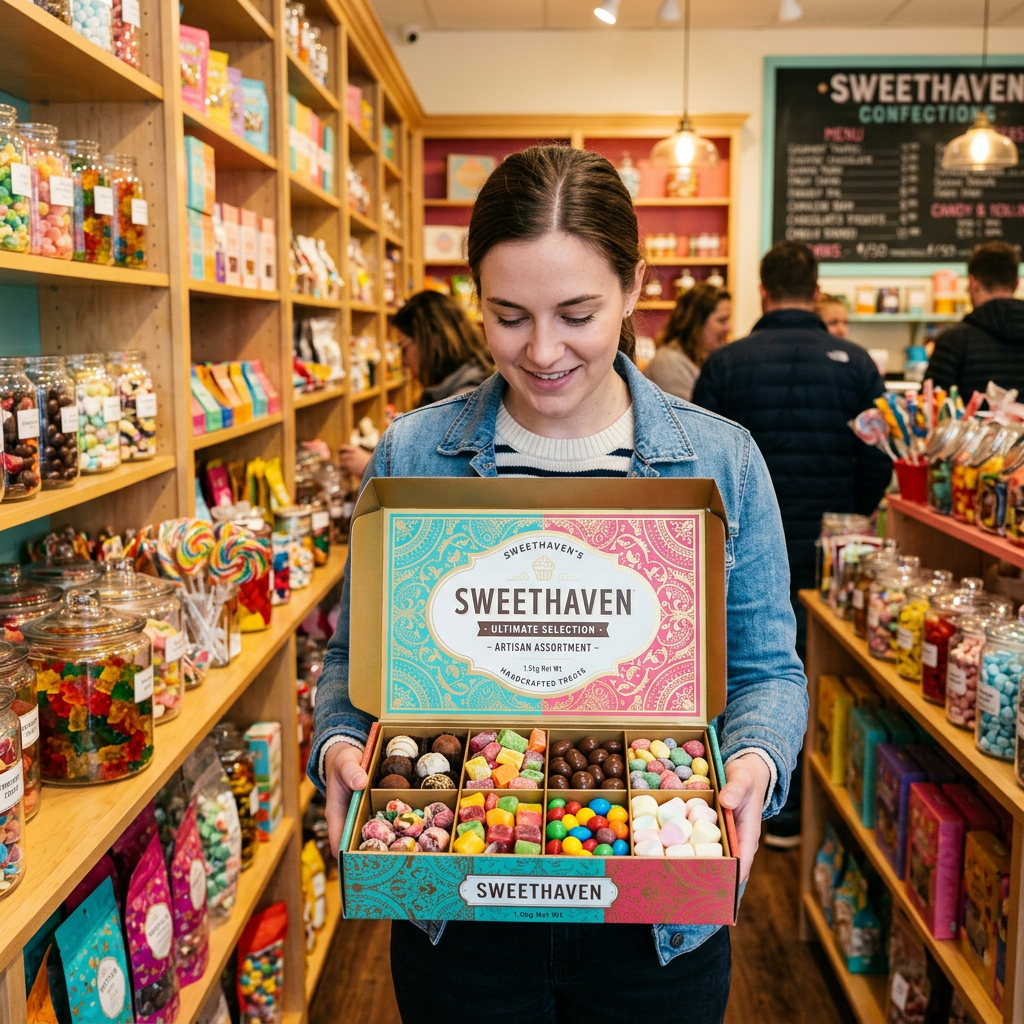
Photographs can provide information (like how much candy is actually inside) that my hands and eyes would normally. Photographs also provide other visual representations (such as a visual representation of size).
I want you to take your best shot at being able to get me interested in choosing which candy box to buy BEFORE YOU TAKE THE PHOTOGRAPH OF THAT BOX. Be sure to check the corners of your candy box. Clean the window of your candy box. Straighten out any crooked labels on your candy box. Remove any dust. Make sure you fill your candy box just like the way the person who purchases it will receive it. A photograph may appear beautiful; however, it should NOT represent more candy than the individual has ordered.
Place your table near a brightly lit window. Most soft daylight provides good color representation, free of the yellowish or bluish tints created by lighting in many homes. Turn off any lamps so that the soft daylight does not combine with the artificial lighting. If the sunlight creates too harsh a bright spot in your photograph, place a thin white curtain over the window or move your table back far enough from the window.
The background of a photograph should be simple. Use white paper, light-colored wood or a small piece of fabric. Choose something that allows for easy viewing of the product. For example, if you put a white candy box on top of a white wall, you might lose sight of the packaging. On the other hand, using a black candy box on a dark colored table may cause the packaging to blend right into the table. The edges of each part should be clearly defined.
You should take more than one photograph of your candy boxes. One photograph should show the candy box as closed. Take another showing the candy box as opened. After opening the candy box, take another photograph of only the candy. Include one additional photograph that helps buyers understand the size of the candy box – perhaps holding it in their own two hands. Buyers should not have to wonder if it is extremely small or relatively large.
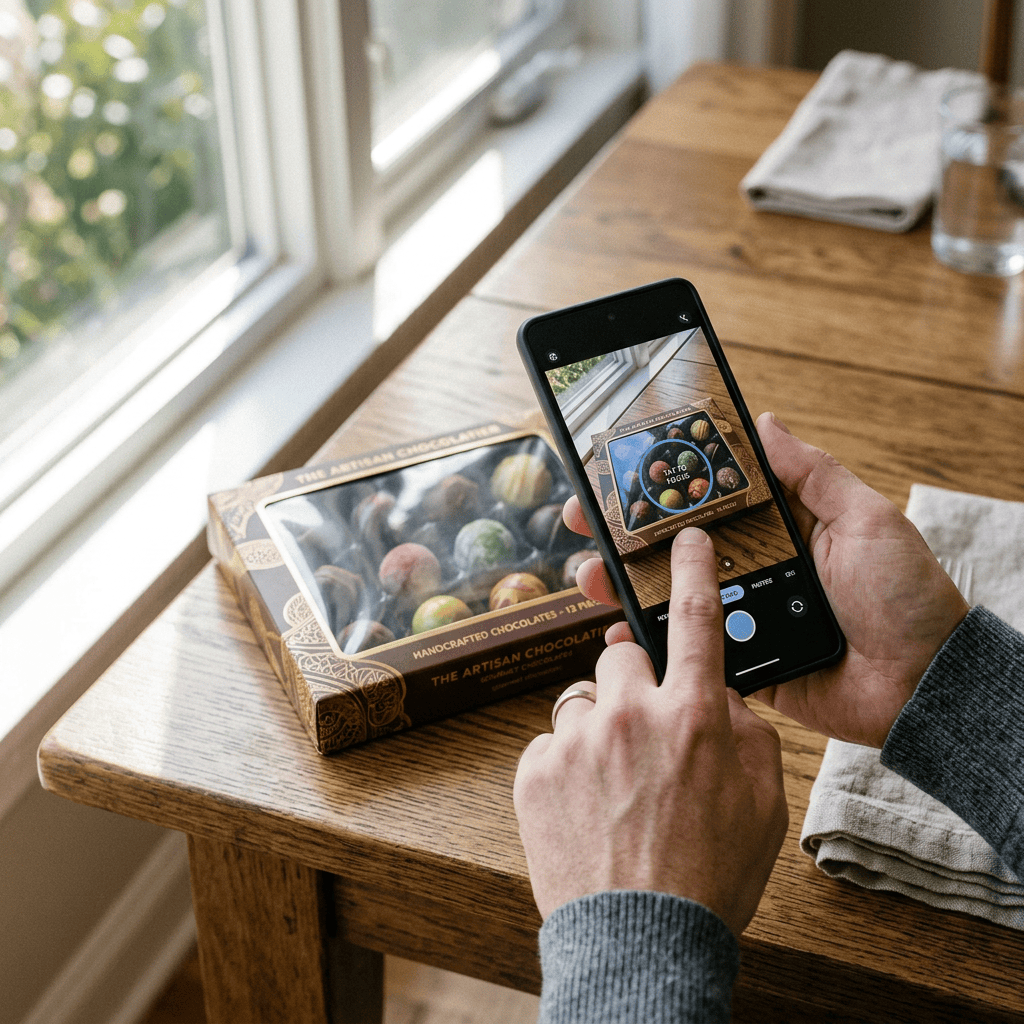
Glare from the transparent window can occur. Simply slide your box forward slightly or angle your phone until the bright mark leaves the area where your candy is located. Avoid using flash on your phone since it will likely bounce off any smooth film. Before taking a photograph, tap on the box with your finger to allow the camera to determine its focal point based upon your selection.
When editing your photographs, be truthful regarding the colors of products shown. While changing brightness or clarity may help, extreme filter changes can alter how items such as chocolate, ribbons or printed paper look compared to actual items. Such alterations may result in disappointment once items arrive at their destination.
Crop all photographs to maintain consistent shapes and eliminate empty space which adds nothing to your photographs. Write a few words describing each photograph so that individuals using screen readers know what they are seeing. “Open Red Candy Box with Twelve Chocolates” is more helpful than “Candy Photo.

